Lee.org

View notable entries only
Page 3 of 5«Newer12345Older»

My Music

May 10th, 2005 2:44am. Geekery, General

My main music tools are Winamp, CDex and FLAC. I would use Vorbis Ogg since it has significantly better sound quality per megabyte used (192kbps is indistinguishable from the real thing. In MP3, 256kbps is almost as good)

Support tools I use for music:

flac112a.exe - The FLAC tools so that CDex can convert files to FLAC. Note settings in CDex:

  • Encoder: External Encoder
  • Encoder path: C:\Program Files\FLAC\flac.exe
  • Parameter String: -8 -o %2 -T “artist=%a” -T “title=%t” -T “album=%b” -T “date=%y” -T “tracknumber=%tn/%tt” -T “genre=%g” -”
  • bitrate: doesn’t matter
  • file extention: flac
  • Make sure that in the generic tab, “ID3 tag version” is set to “none”

FLAC plugin for Winamp - FLAC_plugin_with_library_support for Winamp.exe by Michael Facquet. It lets Winamp read FLAC files. Library support means that tags are read correctly :-) Winamp Reference.

out_lame - A Winamp output plug-in to create MP3 files directly from Winamp. IE: if it can play through Winamp, it can be converted into an MP3, which is great for building CDs for my car’s new mp3 player. Reference.

SqrSoft ACF Disk Writer - It will write ANYTHING that can be played through Winamp to the disk, including streams that usually can’t be. Winamp Reference. Homepage.

Dumb Earthlink AI

March 9th, 2005 2:47pm. Geekery

Dumb AI still makes me mad.

Welcome to Earthlink LiveChat. Your chat session will begin shortly.

Not at home and you want to read your email? With EarthLink Web Mail you can check your email from any computer with an internet connection!

‘Sherman N.’ says: Thank you for contacting EarthLink LiveChat, how may I help you today?
me: Hi, I have a mindspring dialup account. I’m trying to access my mail from another computer but my username and password don’t seem to work. Could it be that I’m not allowed to access POP mail via the internet?
Sherman N.: I understand that you wish to know your password. I can help by providing the password after veryfying your account.
Sherman N.: I see that you have provided xxx as account verification information, Is this your Internet login password?. If yes, can I have your permission to view the password in our database. You will receive an email regarding password view.ace=”arial” size=”2″>
me: No, I don’t need to know my password. I have my password. Please turn off that crummy artificial intelligence system and re-read my request.
Sherman N.: To best assist you, you need to speak with a Technical Support Representative. Please stand by while I transfer you.
Please wait while I transfer the chat to the best suited site operator.
‘Joshua G’ says: Thank you for contacting EarthLink LiveChat, how may I help you today?
[There was a 15 second pause here that really got me bothered. I thought that I was going to have to repeat what I said to a MACHINE to a human. I was about to copy and paste my previous correspondence when.....]
Joshua G:
=”black”>=”OperatorText”>Hello, I see you’ve already been chatting. Please give me a moment so I can read the previous chat and pick up where you left off.
me: Let me take this opportunity to say that "Sherman N" is a crappy AI.

Eliza… Eliza…. My heart’s on fire…… for Eliza!

Symbolic Links for WinXP

March 6th, 2005 3:05pm. Geekery

I haven’t tried it yet but others say it works. Windows is playing a little catch-up here… Unix had symbolic links in 1973 and it’s not a clever hack… it just works. Junction Link Magic

Hard links too with NTFS Hardlink Shellextention.

Using Phlak to rescue a computer

February 13th, 2005 2:40pm. Geekery

What I did to get data off a laptop before a reinstall of Windows:

Boot PHLAK
‘cat /etc/fstab’ (to find the hard drive)
‘mount /dev/hda1 /mnt/hda1′ (to mount hda1)
open a terminal (the hard drive couldn’t be read by the gftp started via right-click on desktop | Apps | Net | gftp. Probably b/c that started gftp with an unprivilaged user)
‘gftp’
cd the local side to ‘/mnt’
log in to 192.168.1.3, user: local
select ../hda1 on the left side and click the transfer button. Woosh…

Dragon NaturallySpeaking 8

February 12th, 2005 2:29pm. Geekery, Product Reviews

In a fit of wanting to type faster, I looked into the latest version of Dragon NaturallySpeaking. After 30 mintues of googling, I’ve decided that speech recognition is still not ready for prime time. :-( (dear reader. Do not dispair. Read my update below!)

I found several blogs and sites that talked about how excited they were at the prospect of how the software could help them, but I never found any followups. That says to me that everyone who tried it got dis-interested quickly. When I first tried speech recognition several years ago, I had a similar experience. After a few days with it, I thought that if I only put more dedication into teaching the computer how I spoke, I could get some use out of it. But I just wasn’t interested in putting that much effort into it. Hence, the waning interest. Well, here we are, 10 years of research, my computer is 200 times faster (!!! 3 Ghz vs 14 Mhz!!!) and the reviews still say pretty much the same thing.

The most useful review was from John Udell’s Weblog. He included a video of him dictating a letter. His was virutally the same experience I had 10 years ago. The recognition had about a 2% error rate. That sounds good until you realize that this posting so far is 203 words… That means there would have been 4 errors in the preceeding text… errors that were spelled correctly and were likely gramatically correct, just not what I intended to say.

So then you have to correct the errors… That can be terribly slow, and error-prone in itself in an audio interface. Listening to John Udell patiently talk to his computer in a carefully moderated voice, and having the machine still make dumb mistakes drove me crazy, and I’m a patient guy.

Grr. I don’t know… Maybe I will give it one try. I tried to type as fast as John was dictating and I very quickly realized that, when it worked well, he was going at like 100 to 120 words per minute. I type at something like 25-40 WPM. I would love to be able to integrate this kind of performance in my typing life! Maybe I could dictate and then edit by hand? I don’t know…


update 4-29-05: I’ve been using Dragon NaturallySpeaking 8 now for two days and I’ve got to say that I’m extremely impressed with it. My previous reservations were unfounded. I’m typing this right now with my voice. It’s pretty darn cool, and yes, I’m going a lot faster than I could type after only one day of training. it takes a little bit of getting used to, speaking to the computer, but really not that much. More importantly, I feel that I’m using a different part of my brain in order to write things. It’s a speaking thing, not a writing thing. That was one thing that I was hoping that I would get out of this.

Woot!

I’ll keep my intrepid readers abreast of how I’m doing with Dragon NaturallySpeaking.

Oh, and as for the microphone, I’m surprised to say that I’m very happy with a cheap lapel mic that came with my web cam.

Gosh darn it, it’s even becoming easier to say things like “Send that” instead of clicking on the Send button in Outlook.

You know, I have to admit that it’s kind of nice to hear my voice in an otherwise quiet room. It’s better than listening to the mindless, brain sucking television in the background.


Update 5-3-05 I’m convinced.

I am now able to type and about 80 wpm. That’s twice as fast as I have ever been able to type in my life. With more practice and the new headset that will be arriving in a few days, I am fairly confident that I will be able to tie at 100 wpm very reliably. This gosh darned thing is good! There are still a few small issues but they all seem conquerable. For example, right now the integration with Firefox is less than perfect. But there are tools to get past that. I’m really pretty impressed.

Of course, instead of me doing just necessary things faster, I am now becoming more verbose. I think I like that in my Internet life.

Case in point: this is getting to be a pretty long blog entry, isn’t it? It’s not that I’m spending more time writing this entry, it’s just that I’m “typing” a lot faster. Woot!

(and it is a bit of a novelty teaching the computer to understand the word “woot”)


update 5-5-05: That’s it, I’m hooked. Dragon NaturallySpeaking 8 is amazing. I really can type/speak at about 80 wpm. It’s still taking a bit of getting used to but darn it, this thing works. I went out and bought a good dictation headset (an Andrea ANC-750) from Knowbrainer.com and that has improved the accuracy quite a bit (of course, it’s also an excellent gamer headset ;-). I’m thinking less and less about how I speak to dictate after just one week.


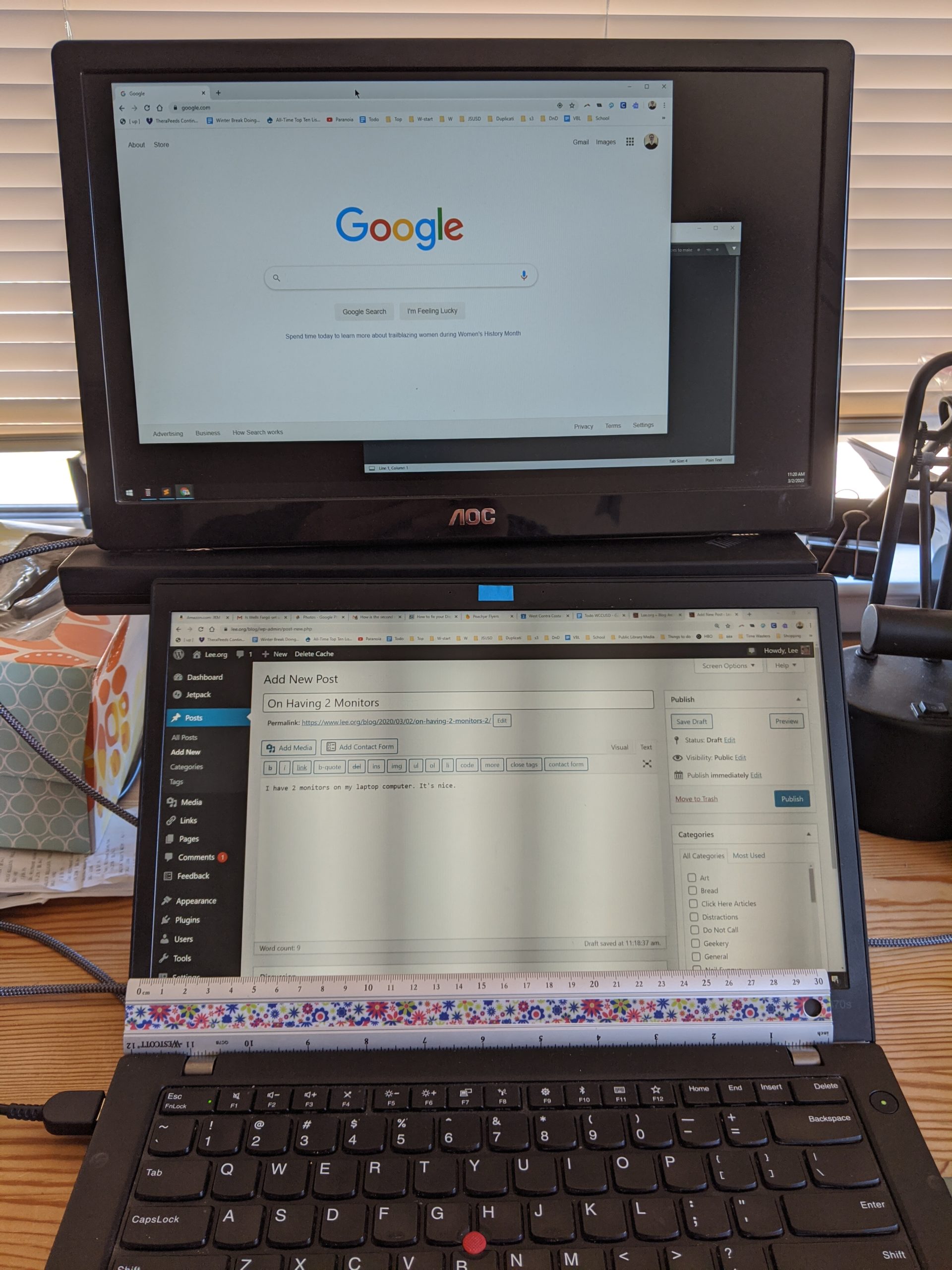
Update 5-20-05: I continue to be happy with Dragon NaturallySpeaking 8 (DNS8). My biggest gripe with it right now is its memory and performance footprint. When it’s running it takes longer than normal to switch between windows, even if DNS8 isn’t engaged. That makes it so that it’s a bother to leave it running on the odd chance I’ll want to issue a “close window” or a “send that” command. Though I admit that I’m a huge short-attention-span-theater window switcher. I have 2 monitors and at the very moment I have 12 windows open. On any day when I’m spending more time writing than not, DNS8 stays running.


Update 9-14-05: FYI I continue to be an avid Dragon NaturallySpeaking user. I got a DMCA takedown notice from copyright-compliance.com last week representing Scansoft saying about this very page (where I gush happily about DNS)…

It has come to the attention of Scansoft that you are distributing unlicensed and unauthorized Scansoft Products.

If anyone can find the unlicensed Scansoft product on this page, I’ll give them a prize.

Update 10-7-05: Sweetness. I just installed another gigabyte (bringing me to 1.5 GB) and all of the lag that I’ve been seeing when moving between programs has gone away. I can now leave Dragon NaturallySpeaking running much more of the time without a strain on my PC.

Allow Generic Host Process to access the internet

January 20th, 2005 5:39pm. Geekery

If Zonealarm says, “Generic Host Process for Win32 Services is trying to access the internet”, “Validation: Not available in ZoneAlarm”, “Application:svchost.exe” you should Allow it to, and Remember this setting.

The Generic Host Process is a good program from Microsoft. Google for it to find out more.

I can’t tell but I think this switch sometimes flips to “Deny” on it’s own, which is a bad thing because then the computer will have no internet access. 2 clients have told me, “I don’t know, I don’t think I denyed it.” Comments?

This happened on Zonealarm 5.5.062.004

Cygwin + Rxvt

January 17th, 2005 5:59pm. Geekery, Other Sources

This works great. Stolen from here.

Cygwin + Rxvt

I’ve been playing around with Cygwin since I’m forced to run WinXP on my work laptop. Cygwin’s great, I’ve used it on and off since when it was GNU-Win32 by Cygnus, but there’s a lot of improvements to it in the last year or two.

One of the things that’s irritated me is that the default console uses the cmd.exe shell as a base - makes it hard to copy + paste with the mouse, among other things. After some effort, I found the right combination of tweaks to get Rxvt working as a decent console in Cygwin.

[You'll of course have to install Rxvt from your favorite Cygwin mirror. - Lee]

Step 1: Edit ~/.Xdefaults - the settings below create an 80×80 terminal window with a deep-blue-black background and yellow-white text (looks nice, easy on the eyes) and assign VIM-style color codes:

(see comment 6. A change might be needed to this code. I haven’t tested it yet but you might need it. Tell me if it works for you please)

! ~/.Xdefaults - X default resource settings
Rxvt*geometry: 80x80
Rxvt*background: #000020
Rxvt*foreground: #ffffbf
!Rxvt*borderColor: Blue
!Rxvt*scrollColor: Blue
!Rxvt*troughColor: Gray
Rxvt*scrollBar: True
Rxvt*scrollBar_right: True
Rxvt*font: Lucida Console-12
Rxvt*SaveLines: 2000
Rxvt*loginShell: True
! VIM-like colors
Rxvt*color0: #000000
Rxvt*color1: #FFFFFF
Rxvt*color2: #00A800
Rxvt*color3: #FFFF00
Rxvt*color4: #0000A8
Rxvt*color5: #A800A8
Rxvt*color6: #00A8A8
Rxvt*color7: #D8D8D8
Rxvt*color8: #000000
Rxvt*color9: #FFFFFF
Rxvt*color10: #00A800
Rxvt*color11: #FFFF00
Rxvt*color12: #0000A8
Rxvt*color13: #A800A8
Rxvt*color14: #00A8A8
Rxvt*color15: #D8D8D8
! eof

Step 2: Modify your c:cygwincygwin.bat to invoke your shiny new Rxvt instead of cmd.exe:

@echo off
C:
chdir C:cygwinbin
set EDITOR=vi
set VISUAL=vi
set CYGWIN=codepage:oem tty binmode title
rxvt -e bash --login -i

Installed Bittorrent

January 16th, 2005 10:51am. Geekery, General

I installed Bittorrent on my spenix.com account. I may be volunteering a little technical help in distributing this year’s Burning Man Screen Saver for The Burning Man Screen Saver Project.

I’m a bit excited since I submitted about 15 photos of my own to this year’s project. The Vault of Heaven screen saver is due out in April or so.

On a side note, if you have any large files you need distributed, I’m now your go-to guy!

4-10-05 update. The Screen Saver doesn’t need Bittorrent. Oh well.

Why I run my own blog: Livejournal outage

January 15th, 2005 5:48pm. Geekery, General, Wordpress

This is why: http://livejournal.com/

Temporarily Unavailable

LiveJournal is currently down due to a massive power failure at our data center. We’ll provide updates at /powerloss/ as they’re available.

(more…)

Windows XP Service Pack 2 is good for something

January 14th, 2005 11:40am. Geekery

Win XP SP 2 allows you to set a PPPoE connection as a default connection instead of having to dial it. That means that it will automatically dial the PPPoE connection when its needed. That’s nice.

HP PSC 2510 wireless network installation

January 12th, 2005 12:38pm. Geekery

I had a problem re-configuring an HP PSC 2510 photosmart all-in-one printer. I wanted to change the router that the printer was connected to.

The stupid blue light on top of the printer wouldn’t come on, indicating that it was connected to the router via ethernet.

The key turned out to be: unplug the printer for 2 full minutes. After that, when I turned it on, I got a network connection and could continue installation.

Full instructions for configuring the printer on a wireless network:

  1. Unplug printer for 2 minutes
  2. Plug printer into router via ethernet
  3. Turn on printer and wait for blue light
  4. Install HP software. Note that it takes 30 minutes
  5. The printer will eventually be assigned an IP address. It might take 2 full minutes longer than you think it should. Go to the Network setting on the printer and print out the network configuration
  6. On the computer, go to http://nnn.nnn.nnn.nnn to set the SSID, WEP, etc.
  7. Disconnect the printer from the router.
  8. The printer’s blue light will turn off. It might take another 2 minutes for the light to come back on. If it doesn’t, check the network settings on the printer to make sure that the radio is on.
  9. Revel in the wirelessness of it all.

Verizon DSL CD is bad

January 11th, 2005 6:37pm. Geekery

I was installing Verizon DSL for a customer and ran into a big problem. The CD installation hangs. I called customer support and they said that was a known problem (!!!). Here’s what to do:

  1. Call Verizon at xxx-xxx-xxxx. Get a username and password from them.
  2. Go to the home page of the Westell Versalink 327W wireless DSL modem at 192.168.1.1.
  3. Click on “Profile Editor”.
  4. “Edit” the connection. If it says something like user= NewDSLCustomer”, you know the install crapped out. Replace the username and password with the client’s.

Until you’ve done this, you’ll be able to use PPPoE directly by “Connecting” to Verizon Online. But that is a bad stopgap.

Constant Blogging

January 11th, 2005 6:37pm. Geekery, General

Now that my blog lives on my website, I can blog whenever and wherever I want as long as I have an internet connection. Like right now, I’m at a customer site waiting for a program to install. It’s a pretty weird feeling. It’s a lot like the giddy cutting-edge-ish feeling I had when I first got a cell phone. “I can now talk to anyone, at any moment! I am the master of my technology! Mu ha ha!” Of course, that feeling didn’t last too long. We’ll see how long this feeling lasts.

Now, everyone can follow along all of the things that I do during my day.
Installing an HP printer…. 1%…. … … … ….. 2%.. … Are you all following along at home?

Hmm, polished edges can sometimes rust pretty quick.

Wordpress it is

January 9th, 2005 10:39pm. Geekery, Notable, Wordpress

After way too much deliberation, I’ve decided to go with Wordpress.

Wordpress, don’t fail me now.

I’ll see what I can do about importing my old journal into this system as soon as I can figure out how to do it. It might take a while.

For the time being, my previous journal pages will continue to be available on my old journal pages.

Blogging Systems

January 8th, 2005 12:00pm. Geekery, General, Other Sources

I’m not going to put my blog on some “free” advertiser supported site where you have to click-sign away rights to your own material, that’s put into a database that I don’t have access to, on a server of unknown reliability.

But then…

  • Nucleus can’t put a blog entry into more than one category.
  • Wordpress doesn’t require users to register before posting comments, hence, it is comment-spam bait. (I received about 20 comment spams on the first day of use and could find no reliable way of stopping them without entering an obfuscation battle with the spammers, a battle I don’t want to fight)
  • PMachine Free Edition doesn’t seem to support permalinks in a nice way. I think the $150 pay version, “Expression Engine” does.
  • BlogCMS isn’t supported natively on Spenix (I’ll still try it soon anyway)
  • b2evolution also has minimal protection against comment spam.

You might think I’m overreacting when I talk about not using a particular system because of comment spam problems. But I’ve seen WAY too many blog posts like the following “i never write here anymore. i’ve had it up to here, there and okay there with pr0n comment spam.” That comes from a b2evolution user.

Just do a google search for wordpress “comment spam” or b2evolution “comment spam”. It’s a huge problem.

My current system still keeps chugging away…. a flat file index.html file that I hand edit with Frontpage. CSS makes it look good.

Here’s a nice analysis from Kas Log (I would have put this behind a ‘cut’ but I don’t have a very sophisticated blogging system ;-)

Open Source weblogging tools

This weblog is powered by WordPress, and aside from saying thanks to the WordPress team for building a great Open Source weblogging tool, I thought it might be useful to share my reasons for choosing this package over several others.

Before I started looking at any specific tools, I came up with the following list of requirements:

  • Must run comfortably on accounts hosted at
  • FatCow. This weblog isn’t hosted there, but nabeepchen.com which I set up at the same time is. Also, my corporate site (felinity.com) is hosted at Fatcow, and I might want to add a blog to that later. [Note: I’m a Fatcow affiliate. If you sign up for a web site with them by clicking on the Fatcow link above, I get some moolah.]
  • Must have a browser based interface that is easy to use, but powerful enough for first class blogs. The interface should be lean and efficient, although a little eye candy never hurts.
  • Must have integrated comments, pings, and trackback.
  • Must provide comment moderation.
  • Must be actively maintained.
  • Must support RSS feeds.
  • Must update pages automatically [added after trying Greymatter].
  • Must allow multiple categories per post [added after trying Nucleus].
  • Look and feel of weblog must be completely customizable.
  • Should have automatic comment spam filtering.
  • Should support Atom feeds.
  • Preferably Open Source.
  • Compatibility with desktop weblogging front-ends would be nice.
  • The fewer external dependencies (plug-ins, libraries, etc.), the better.

Fatcow runs MySQL 3.23.x, and Apache 1.3.x with PHP 4.x and Perl, on Sun Solaris servers. Unfortunately, neither Python nor PostgreSQL are supported, which limits my options a bit. After a quick look at the system requirements for various packages, I narrowed my list of potentials down to four programs: Blosxom 2.0, Greymatter 1.3, Nucleus 3.1, and WordPress 1.2. On the commercial side, I knew that Movable Type would fit the bill, if none of the Open Source alternatives came close enough.

WordPress came out on top and meets all of my requirements, including the optional ones. Not considering price, I think it even beats Movable Type. Read on, for my impressions of each package, but note that I spent only two or three hours with each of them, except of course WordPress. Just keep in mind that there is probably a lot of stuff I missed, and newer versions may shift the overall picture considerably.

Each of the packages is relatively easy to install, if you know your way around a Unix system. Blosxom and Greymatter store everything in plain text files, and are written in Perl. Nucleus and WordPress require a MySQL database, and are written in PHP 4.

I quickly crossed Blosxom and Greymatter off my list, because neither had the must have features. Nucleus and WordPress were a much better match, and it took me a bit more time to decide between the two.

Blosxom is great for people who live their lives in the Unix shell. You just create a simple text file, and voilà, the blog entry is on-line. Categories are the directories underneath the main data directory. This approach makes it exceptionally simple to automatically post stuff from scripts and whatnot. Unfortunately Bosxom has no real web based interface. The plug-in for that is experimental and bare bones to the extreme. I was also a little concerned about performance for large sites, because each request might require searching through multiple directories and files, although the caching plug-ins that are available might address those concerns. Blosxom itself is just a single Perl CGI script with a few hundred lines of code, and installation is trivial. However, to get the functionality I want, I would also have had to separately install and configure a number of plug-ins, and while that might give me the functionality I need, it also means a lot of tweaking and fiddling, and extra work to keep everything up-to-date. What I did like and have not seen in other packages is the simple, but effective URL hacking scheme Blosxom offers. Basically, you can just concatenate categories and dates with slashes, to drill down by category or date. I am using the same approach for some internal tools, and I was pleasantly surprised to see the same idea implemented here. The bottom line: Blosxom is too complicated for casual users, and it didn’t have the features I was looking for.

Greymatter came a bit closer to what I had in mind. It did have a web based interface, built-in comments, and like Blosxom, the blog entries are stored in plain text files. One thing I learned from playing with Greymatter was, that I didn’t want a program that requires me to rebuild my pages manually. It wasn’t on my original list of must have features, but I added it as a requirement. Aside from two step updates, Greymatter didn’t support comment moderation, pings, trackbacks etc. On a more subjective level, I didn’t like the look and feel of the interface.

Nucleus made a strong impression immediately, with a clean and well designed interface. Setup was trivial, and I liked the little pop-up window for uploading images, and choosing existing files from a list. Surprisingly, adding a blog style calendar is only available via a plug-in. Out of the box, Nucleus allows comment deletion and IP banning, but comment moderation, pings, and trackback require plug-ins. One requirement I added to my must have list, after using Nucleus, was the ability to put posts into multiple categories; Nucleus supports only one category per item. The biggest drawback from my point of view was Nucleus’ template system. If your site design fits neatly into the Nucleus framework of templates and skins, then customization is easy enough. But if you expect to go beyond basic blogging functionality you might find it quite limiting. One feature Nucleus offers that I didn’t need, but that could make all the difference to some people, was the ability to handle multiple blogs.

WordPress was the last program on my list of candidates. Installation was trivial, and although I might prefer the Nucleus look slightly, the WordPress interface is pleasant enough and functional. Most importantly, WordPress had all of the features I was looking for right out of the box; no plug-ins needed. The main template is simply a PHP script with a style sheet. You can change the look of WordPress sites quite dramatically by just dropping in a new style sheets, but even editing the content and layout is easy enough, if you know HTML and just a tiny bit of PHP. Multiple and even hierarchical categories are supported, as are pings, trackback, and the various feed formats. After using Nucleus, the image upload feature seemed a bit bare bones, but it works and a plug-in might improve things. Where WordPress stood out was in comment handling. You can configure the program to queue comments for moderation if they contain common spam words, come from certain IP addresses, or contain a certain number of links. If there’s one complaint, it’s that the documentation is a bit sparse and scattered, but it was sufficient to get everything set up the way I wanted it. The WordPress forums are very active and helpful; all my questions had already been asked and answered.. Make sure to check out the WordPress Wiki. I overlooked that at first, and it seems much more complete than the reference documentation on the main page. All in all, given my requirements, WordPress was the clear winner.

Windows Tweaks

January 4th, 2005 12:00pm. Geekery, General

Firefox 1.0 Tweaks

Lots of tweaks at http://windowssecrets.com/041202/
Fixing a memory leak-ish issue in Firefox 1.0

Firefox tends to use more memory than maybe it should. Here’s how to fix the issue. From forums.mozillazine.org

Type about:config into the location bar, press enter, right click any line, choose “new”>”integer”, paste this into the dialogue that appears:
“browser.cache.memory.capacity”. Click OK, specify the amount in kb in the next dialogue that appears, restart firefox.

Yes, it seems to help performance.

Windows XP Tweak: Prefetch

Windows automatically preloads programs it thinks you use a lot. But many programs shove their way into this folder, sucking up your RAM. Once every couple months or so do the following:

del c:\Windows\Prefetch

Your computer will boot faster and use less RAM. The worst that can happen is some programs will load slower the first time you start them after doing the fix.
Credits: tweakxp.com, techrepublic.com.com

Make Firefox Prefetch

I use Firefox all the time, so I do this:

You can speed up the loading of Firefox on Windows XP by adding it to the programs that XP “prefetches.”

To do this, right-click the Start Menu item for Firefox, or any icon you use to start Firefox, and open the Properties dialog box. Add a space plus /Prefetch:1 to the command line and click OK. The resulting line might look as follows:

“C:\Program Files\Mozilla Firefox\firefox.exe” /Prefetch:1

A detailed explanation of XP’s prefetch feature is provided by TechRepublic.

Windows XP Tweak: Defrag

An oldie but a goodie. Run:

defrag c:

Every couple months

My Local Computer Warehouse

October 28th, 2004 12:00pm. Geekery, General

There’s a computer wholesaler in downtown Hackettstown… a -real- computer wholesaler. They’re not interested in selling systems to me for my clients… they only sell computer systems by the pallet. Nifty. GoCWI.com

Kryptonite Locks

September 15th, 2004 12:00pm. Geekery

http://www.bikeforums.net/showthread.php?t=66128&page=1&pp=25

Ha.

The Kryptonite Evolution 2000 bike lock (with a $3,000 theft warrantee) can be defeated with a Bic pen in 10 seconds.

If you outlaw Bic pens, only outlaws will have Bic pens!

Symantec’s Legal Department

June 22nd, 2004 12:00pm. Geekery, Notable

At the request of a client, I contacted Symantec about some suspected pirated software I bought on Amazon zShops. I sent the Symantec legal department a juicy info packet on my purchase.

From: Chansonette Connolly [mailto:ccon.don't spam her.nolly@symantec.com]
Sent: Monday, June 14, 2004 4:03 PM
To: [Lee]
Subject: Re: Report of Suspected Piracy of Norton AntiVirus 2003 from a Third Party on Amazon.com 4/21/04 - [removed] (zShop)

Dear Mr. Sonko,

Thank you for submitting to us the CD you purchased from [removed] (zShop) marked “Symantec Norton AntiVirus 2003” for evaluation, together with your documentation. We have examined the CD you submitted and believe it to be counterfeit. Therefore, and as I am sure you can understand, we will not be returning the CD to you. Our records show that this entity is not an affiliate or authorized partner of Symantec.

You may wish to contact your credit card / financial organization and find out what options you may have in a situation like this. We appreciate your taking the time to send us documentation relating to your purchase, which will assist us in continuing to investigate this matter further.

We appreciate the faith you have shown in Symantec’s products by purchasing legitimate software to replace any counterfeit software you might have had. Please be assured, you have made the right decision given the risks associated with counterfeit software, be it faulty operation, leaving your computer open to cyber attack or possible damage to your computer. Furthermore, legitimate software gives you the right to obtain updates generated by Symantec for that software. Updates are necessary to help protect your system from cyber attacks, which evolve on a daily basis.

We look forward to serving you as one of our valued customers and hope to make your cyber experience as safe and enjoyable as possible.

Sincerely,

——————————————————————————–
Chansonette Connolly
Manager, Worldwide Brand Protection
Legal Department
Symantec Corporation
Office: (408) 517-8045
Interoffice: 6 [408] 8045
Fax: (408) 517-8121

Email:
chanso.don’t spam poor Chansonette.nette_connolly@symantec.com

www.symantec.com

Any my response

When I wrote to Drakes (the company that makes Devil Dogs, Ring Dings and Yodels supermarket pastries) telling them about some bad Yodels I bought last year, they at least gave me a coupon for some free Yodels. When I wrote to them, all I included was a photo of some sorry-looking Yodels and a short explanation. When I wrote to you, I included a lengthy description that puts me on the spot vs. Amazon and vs. an Amazon seller, packaging material, and the actual product. You now have all the incriminating evidence you need to stop a major American pirate of your software.

For my trouble, all I got was a pat on the back. You can be sure that I won’t ever be bringing potentially pirated software to your attention again. You could learn a lot from a Yodel.

More with the Backups

May 20th, 2004 12:02pm. Geekery, General

cwRsync is a yet another packaging of Rsync and Cygwin. You can use cwRsync for fast remote file backup and synchronization

boxbackup
has been ported to cygwin on Windows!. It’s still in beta but this is looking like a real option. When I get a minute (yeah, right) I’ll try it out.

Page 3 of 5«Newer12345Older»