YOU ARE THE ONE MILLIONTH VISITOR!
No really. Apparently I logged my one millionth visitor on the blog (according to WordPress Stats) just last month or so.
Joyness
The coldest winter I ever spent
Archive for the ‘Wordpress’ Category.
No really. Apparently I logged my one millionth visitor on the blog (according to WordPress Stats) just last month or so.
Joyness
I’m addicted. I know. Here are the plugins currently in use on my site, running WordPress 2.7.1:
Phwew, there sure are a lot of social networking sites. I just installed Wordbook. Hopefully my friends on facebook will catch what’s up in my world with this plugin
WP-Super Cache has been giving me trouble. The trouble is, it keeps caching stuff but it doesn’t actually serve the cached files. I figured it out mostly because the hidden footer at the end of each page kept updating even when it should have been drawing from the existing cache file. And then there was the consistanly mediocre performance.
I had a previous version of WP-Super Cache that worked but after 5 revisions from the developer, I decided to upgrade. My mistake ;-(
So I’m trying hyper-cache. So far, so good.
I also installed DB-Cache via a suggestion from dbzero.com
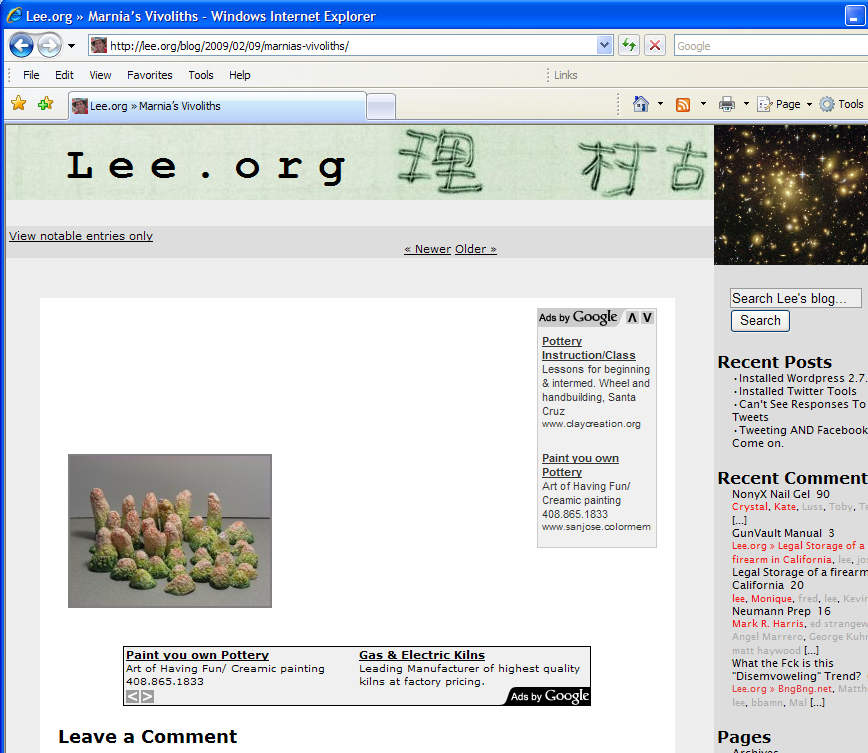 I had this terribly annoying Google Adwords problem with my old WordPress Theme. When displaying a Google Ad in Internet Explorer 7 (not, Chrome, not Firefix, just IE), the font color of the majority of text would change to white. If I resized the screen so that the lower ad couldn’t be seen, the font color would change back to black correctly. But… gah!
I stared at the source code for a while and couldn’t figure out what the frig… so I borrowed another theme and adapted it to Leeness. It’s called Fluid Blue by srinig. I’ve still got a tiny bit of cleanup to fully adopt the theme but it’ll be done shortly.
Enjoy.
I should say “Installing WordPress 2.7.1”. It’s all going smoothly but I’ve got so many plugins to nudge.
My Tweeting friends might have noticed that I installed Twitter Tools. It allows my blog posts to be cross-posted to Twitter. And my tweets get cross-posted onto my blog weekly. I think that satisfies my desire to keep everything centrally located on the blog while still allowing for the quick silliness of Twitter.
 I switched from WP Lightbox JS to WP FancyZoom. I’m pretty sure its the right decision. I really like the idea of having the lightbox plugin resize the image according to the size of the user’s screen. That way, I can post things in full resolution and not worry that when the user clicks on a thumbnail, the image will expand so much that they have no idea what they are looking at (like one of those Games Magazine Eyeball Bender). I’m trying to future-proof the blog. It would be a shame in a few years if someone looked back on this site and was disappointed that the only copy of an image I had was a reduced-resolution image.
Upon installing it, I notice that when you open images that have text in them, the text isn’t nessesarily legible; it depends on how large your browser window is (example). Hmmm.. hmmm.
I very much like that FancyZoom pre-loads the full-size image when the user mouses-over the image. It makes load-times pleasantly quicker without any fuss for the user :-)
I’ll leave FancyZoom up for a while and see how I feel about it.
In FancyZoom.js, I changed the defaults to make image display speedy like so:
var zoomSteps = 2; // Number of zoom animation frames
I hope the author isn’t too disappointed in my choices here. Setting it like so almost completely eliminates the “super sexy” zoom effect that he is proud of (read the docs, he’s really happy with it!). But it does what I want it to do and I am thankful! That single intermediary image that flashes in the window for just a few milliseconds hints at what’s going on very well without taking up too much time.
After an annoying time (and 2, 3, 4, 5, 6, 7, 8, 9) trying to voice my concerns with the image uploading interface in WordPress, I’ve installed a test version of WP 2.7.
Pros:
Cons:
That’s a score of 1 to 2. The Cons win :-(
I installed the No Adverts for Friends plugin. It is specifically compatible with the WP Super Cache plugin which has worked very well.
With this plugin, if you have posted a comment on my blog, it’ll remember you and you won’t have to see the banner ads that I put at the bottom of every post.
I just downloaded and installed the No Adverts for Friends plugin (1 file). Then put this in my comments.php:
<?php if (function_exists('is_regular_user')) { ?>

<?php if( is_regular_user() == false ) {   ?>

<center>

My Google ad here

</center>

<?php } ?>

<?php } ?>